

Kajabi and Thinkific are still the two most-named platforms in any “where should I host my course” conversation. They are also two of the most expensive once you do the real maths. Both raised prices, both quietly grew their transaction-fee surcharges, and both still cap standard plans in ways most reviews skip past.
If you are weighing Kajabi vs Thinkific in 2026, the right question is not “which one is better.” It is “which one fits my stage of business and what will I actually pay?” Sticker price is not the answer. A $36/month plan with a 5% Stripe surcharge can quietly cost more than a $143/month plan, depending on how you process payments.
This guide compares Kajabi and Thinkific honestly. Real costs at real revenue levels. A feature-by-feature breakdown. And a frank look at whether either platform is the right fit for your business in 2026, or whether something newer is the answer.
Kajabi vs Thinkific at a glance
Here is the short version for scanners. Detail follows.
| Feature | Kajabi | Thinkific |
|---|---|---|
| Entry plan (monthly) | $179/mo (Basic) | $49/mo (Basic) |
| Mid plan (monthly) | $249/mo (Growth) | $99/mo (Start) |
| Top standard plan (monthly) | $499/mo (Pro) | $199/mo (Grow) |
| Transaction fee surcharge | 0.5–2% on own Stripe | 1–5% on own Stripe |
| Free trial | 14 days | 30 days |
| Member/student cap (top standard) | 100,000 contacts | 10,000 students |
| Native community | 1–3 communities | 1–3 communities |
| Mobile app | Included on Pro | $199/mo add-on |
| Best for | Marketing-heavy businesses with budget | Course-focused creators on tighter budgets |
TL;DR verdict: Kajabi is the more capable platform for marketing automation, funnels and email. Thinkific is the better course-builder for a lower price. Both charge a surcharge if you want to use your own Stripe account, both treat community as an add-on rather than a core product, and both leave money on the table once you scale. For creators who want courses, community and a conversion-optimised checkout in one place at fair pricing, a 0% transaction fee alternative is worth considering.
Kajabi vs Thinkific pricing: what you will actually pay

Pricing is where most Kajabi vs Thinkific comparisons fall short. They list the advertised plans, mention transaction fees in passing, and move on. The real answer changes once you account for surcharges, processing fees and which plan you genuinely need.
Plan-by-plan side by side
Here are both platforms’ 2026 pricing with annual billing in the first column and monthly billing in the second. Annual saves roughly 20% on Kajabi and 25% on Thinkific.
Kajabi plans (2026):
| Plan | Annual | Monthly | Products | Contacts | Admins |
|---|---|---|---|---|---|
| Basic | $143/mo | $179/mo | 5 | 2,500 | 2 |
| Growth | $199/mo | $249/mo | 50 | 25,000 | 11 |
| Pro | $399/mo | $499/mo | Unlimited | 100,000 | 26 |
Thinkific plans (2026):
| Plan | Annual | Monthly | Courses | Students | Communities |
|---|---|---|---|---|---|
| Basic | $36/mo | $49/mo | Unlimited | 10,000 | 1 (5 spaces) |
| Start | $74/mo | $99/mo | Unlimited | 10,000 | 1 (10 spaces) |
| Grow | $149/mo | $199/mo | Unlimited | 10,000 | 3 (20 spaces) |
| Plus | Custom | Custom | Unlimited | Unlimited | Unlimited |
On sticker alone, Thinkific is roughly half the price at every tier. Thinkific’s free plan was retired in 2025 and replaced with a 30-day trial. Kajabi revised its pricing during its January 2026 restructure and offers a 14-day trial. For more depth on either side, see our complete Kajabi pricing breakdown and the Thinkific pricing in full.
The transaction-fee surcharge both platforms downplay
Both Kajabi and Thinkific advertise themselves as low-fee or no-fee platforms. Both have a footnote.
Kajabi charges no transaction fees if you use Kajabi Payments, its own Stripe-powered processor. The moment you connect your own Stripe account, a surcharge kicks in:
- Basic: 2%
- Growth: 1%
- Pro: 0.5%
Kajabi Payments itself runs at 2.9% + $0.30 per US transaction (2.7% + $0.30 on Pro), with an extra 0.7% on subscription payments and 1.5% on international cards. That headline rate is the standard Stripe processing fee creators pay everywhere, not a Kajabi-specific charge.
Thinkific does the same thing under a different brand. Use TCommerce, their built-in Stripe processor, and you avoid surcharges. Use your own Stripe account and you pay:
- Basic: 5%
- Start: 2%
- Grow: 1%
- Plus: Negotiated
In both cases, the surcharge taxes independence. Plenty of creators want their own Stripe account for accounting integrations, existing customer data or simply to avoid being locked into a platform’s processor. Both platforms make that more expensive every year.
True Kajabi vs Thinkific cost at $5K, $10K and $20K monthly revenue
Here is what each platform actually costs at three common revenue levels. We are using your own Stripe account (the more flexible setup) and the most likely plan tier for that revenue.
| Monthly revenue | Kajabi (Basic, own Stripe) | Thinkific (Start, own Stripe) | Difference |
|---|---|---|---|
| $5,000 | $179 + $100 + ~$160 Stripe = ~$439 | $99 + $100 + ~$160 Stripe = ~$359 | Kajabi +$80 |
| $10,000 | $249 + $100 + ~$320 Stripe = ~$669 | $99 + $200 + ~$320 Stripe = ~$619 | Kajabi +$50 |
| $20,000 | $499 + $200 + ~$640 Stripe = ~$1,239 | $199 + $200 + ~$640 Stripe = ~$1039 | Kajabi +$200 |
Two things stand out. At lower revenue, the Thinkific surcharge gap closes the price advantage by a couple of hundred dollars per month. At higher revenue, you are comfortably paying $600–$1,000/month before any other tools (email automation, schedulers, design software). And in every row, the surcharge is doing real work against your margins. A platform charging 0% transaction fees on every plan removes that line entirely.
Course creation: where Thinkific edges Kajabi
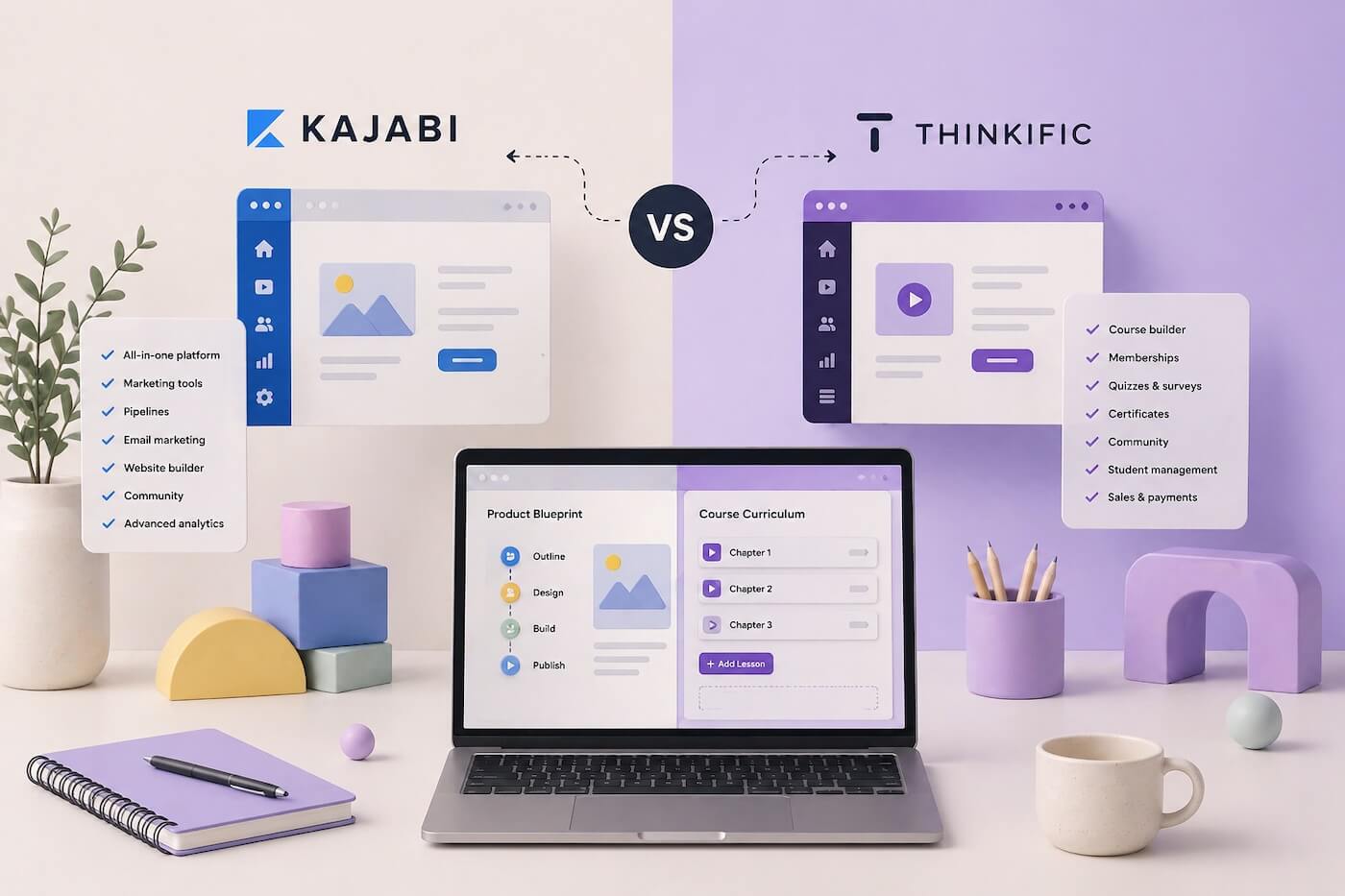

Both Kajabi and Thinkific can host a course, package it into modules and lessons, drip content on a schedule and issue certificates. In any Kajabi vs Thinkific feature comparison, course delivery is roughly a tie. The differences show up in the smaller details.
Builder experience and content types
Thinkific’s course builder is widely considered the more polished. The interface is built around the course-creation workflow rather than around a wider business platform, so adding a lesson or restructuring a module feels lighter. Kajabi’s builder is fine, but it sits alongside funnels, email and a contacts database, and that breadth shows in the UI.
Both support video, text, audio, downloads, quizzes and surveys. Both let you add live coaching sessions, though Kajabi’s scheduling tools are more built-in while Thinkific leans on Zoom integration.
Assessments, quizzes and certificates
Thinkific has the deeper assessment tools. Quizzes, exams, surveys and assignments are all first-class, and Thinkific assignments allow file uploads up to 100 MB versus Kajabi’s 10 MB cap. If your course depends on detailed student work, that ceiling matters.
Kajabi’s quizzes are functional but designed more for completion gating than serious assessment.
Bulk uploads, SCORM and large catalogues
Thinkific includes a bulk content uploader and SCORM compliance on its higher tiers, both of which save real time for creators with large catalogues or anyone migrating from a corporate LMS. Kajabi does not offer SCORM at all. If you are a training company or any business where compliance and standards matter, that gap is hard to close.
The trade-off: every Thinkific standard plan caps at 10,000 students. Once you cross that line, only the custom-priced Plus tier lifts the ceiling. Most creators never see the cap, but it is worth knowing.
Marketing and sales: where Kajabi edges Thinkific

Kajabi was always built as a business platform, not just a course host. That choice shows up across the Kajabi vs Thinkific marketing and sales toolkit.
Email marketing and automation
Kajabi’s built-in email tools are genuinely useful. Broadcast emails, automated sequences, behaviour-based triggers and AI-generated email flows for new product launches are all native. For a solo creator who has not yet bought ConvertKit or ActiveCampaign, this can replace a $30–$100/month tool.
Thinkific’s email tools are more basic. You will pair Thinkific with an outside email platform in almost every case, which adds cost and complexity to your stack.
Sales funnels and landing pages
Kajabi includes a sales funnel builder, landing pages and opt-in forms with templates designed for course launches. You can stitch together a launch sequence end-to-end without leaving the platform.
Thinkific gives you a basic site builder and individual sales pages. Anything resembling a funnel needs an outside tool. If your strategy depends on multi-step launches, evergreen webinars and segmented opt-ins, Kajabi is better suited out of the box.
Affiliate programs and AI features
Both platforms now offer affiliate programs on their higher tiers. Kajabi has a built-in AI assistant for content suggestions, email writing and copy generation. Thinkific has rolled out AI course-outline generation and AI video script generation embedded in the builder. The tools serve different moments, Kajabi helps with promotion, Thinkific helps with creation.
Community: the feature both treat as an afterthought
Communities are where both platforms feel weakest in 2026, and the Kajabi vs Thinkific gap here is small in both directions. Each has the feature on the spec sheet, neither built it as a core product.
Kajabi Communities
Kajabi Communities arrived as a bolt-on. Most plans include a single community space; Pro lifts that to three. Discussion threads, group challenges and live streams are supported, and the experience is fine for creators who want a basic gathering point alongside their courses.
What is missing is depth. Member directories, multi-space organisation, granular moderation roles and a feed that actually surfaces relevant activity all feel less developed than a purpose-built community platform.
Thinkific Communities
Thinkific Communities run on a similar model. Basic plan gets one community with five spaces. Start lifts that to ten. Grow gives you three communities with twenty spaces total. Member profiles, post types and basic moderation are there, but the platform is clearly course-first.
Why “community-as-add-on” misses what creators actually need
A course without a community is a video library. The creators with the highest retention rates do not lean on lecture content alone, they build relationships between members. That requires a community designed from day one to support direct messaging, member-to-member discovery, broadcast emails, gated spaces and active moderation tools.
Both Kajabi and Thinkific give you the basics. Neither gives you a community platform you would build a business around if community was your primary offer.
Integrations and ecosystem
Thinkific has a wider third-party integration library, including HubSpot and Salesforce on its higher tiers, plus standard tools like Mailchimp and ConvertKit. The 90+ app library is one of Thinkific’s repeated marketing claims.
Kajabi has fewer native integrations, partly because it tries to own more of the stack itself (email, funnels, communities, analytics). Both platforms connect to thousands more apps via Zapier.
A practical difference: branded mobile apps. Kajabi’s Pro plan includes a branded mobile app for your members. Thinkific charges $199/month for the same thing as a separate add-on, regardless of which standard plan you are on. If a native app matters to you, that is a $2,400/year line item to factor in.
Kajabi pros and cons
Kajabi pros:
- Marketing automation, funnels and email built in, replacing several outside tools
- Branded mobile app included on Pro
- AI assistant for content, email and copy
- Larger contact ceilings (up to 100,000 on Pro)
- Established platform with mature ecosystem
Kajabi cons:
- Most expensive entry point of any major platform ($143/mo annual, $179 monthly)
- Surcharge of 0.5–2% on top of Stripe processing if you use your own account
- Communities feel bolted on, with limited depth
- No SCORM compliance
- Steeper learning curve given platform breadth
Thinkific pros and cons
Thinkific pros:
- Polished course builder optimised for the creation workflow
- Deeper assessment tools, larger assignment file limits, SCORM on higher tiers
- Cheaper sticker price across every tier
- Built-in AI for course outlines and video scripts
- 30-day free trial (longer than most competitors)
Thinkific cons:
- Surcharge of 1–5% on top of Stripe processing if you use your own account
- 10,000-student cap on every standard plan
- Email and funnel tools are basic, you will need outside software
- Branded mobile app costs $199/month extra
- Communities are limited (1–3 communities, capped spaces)
Who should choose Kajabi
Kajabi makes sense if you are an established creator with budget to spend and your business depends on marketing automation. If you are running paid ad campaigns, evergreen funnels, segmented email sequences and behaviour-based triggers, Kajabi removes a stack of outside tools and consolidates them under one bill.
It is also a fit if you need a branded mobile app for your members and you are already on Pro. And if you have a small enough contact list that the higher contact ceilings are useful, the per-contact value improves at scale.
It is overkill if you mostly want to sell a course or two, run a small community and accept payment. You will pay for tools you will never open.
Who should choose Thinkific
Thinkific is the better fit if you are course-focused first and marketing-second. If you already use ConvertKit, ActiveCampaign, MailerLite or another email platform, you do not need Kajabi’s email tools and you are paying for them anyway.
It is also stronger for creators who care about assessment depth, larger student work files or SCORM compliance for corporate training. The course-builder UX is the most polished of any major platform, which counts for something if you are publishing frequently.
The trade-off is the 10,000-student cap (most creators will not hit it, but the few who do face a custom-priced Plus migration), the 1–5% Stripe surcharge if you bring your own processor, and the patchwork of outside tools you will end up wiring together.
Who should choose neither
There is a third option that increasingly makes sense for creators sitting in front of this Kajabi vs Thinkific decision: a platform built for creators who want courses, community and a conversion-optimised checkout in one place, without giving back a percentage of every sale or paying $200/month to read their first 1,000 members.
That is what we built Kourses for. Plans start at $9/month annually. Transaction fees are 0% on every plan. There is no surcharge for using your own Stripe account. Communities are not an add-on, they were built into the platform from day one. The checkout includes order bumps, one-click upsells and abandoned cart recovery on every plan, including the cheapest.
Here is the three-way comparison.
| Feature | Kajabi | Thinkific | Kourses |
|---|---|---|---|
| Entry plan (monthly) | $179/mo | $49/mo | $9/mo |
| Top standard plan | $499/mo | $199/mo | $79/mo |
| Transaction fees | 0.5–2% on own Stripe | 2–5% on own Stripe | 0% on every plan |
| Native community | Limited (1–3) | Limited (1–3) | Built in |
| Order bumps + upsells | Higher tiers | Higher tiers | Every plan |
| Abandoned cart recovery | Higher tiers | Higher tiers | Every plan |
| Free trial | 14 days | 30 days | 14 days |
You can see the full breakdown in our Kourses vs Kajabi comparison and the Kourses vs Thinkific comparison, or browse the wider field of best membership platforms in 2026 if you want to keep looking.
Final verdict on Kajabi vs Thinkific
The honest verdict on Kajabi vs Thinkific in 2026: Kajabi wins on marketing breadth, Thinkific wins on course-builder craft, and both lose on transaction-fee surcharges and treating community as a bolt-on. If you are deeply invested in marketing automation and have the budget, Kajabi remains a coherent choice. If you want a strong course-builder for a lower sticker price and you already have an email tool you like, Thinkific holds up.
If neither answer feels right, if you want courses, community and a checkout that converts, all in one platform with 0% transaction fees and no surcharges for your own Stripe account, that is the gap Kourses fills. Plans start at $9/month, the trial is 14 days, and you can have your first product live in an afternoon.
Whichever way the Kajabi vs Thinkific decision lands for you, make it on the real numbers, not the sticker price. The platform that costs less today is not always the one that costs less at $10K/month. And the platform that gives you everything in the spec sheet is not always the one that gives you what you actually use.
Ready to keep more of what you earn? Start your free trial and see what an all-in-one platform with 0% transaction fees actually feels like.
Pricing accurate as of July 2026. Verified from: kajabi.com/pricing and thinkific.com/pricing.

